Profiles
Profiles are ainative-business’s reusable agent definitions. They turn agent behavior into something operators can browse, inspect, duplicate, and tune instead of hiding it inside one-off prompts. The catalog spans both technical specialists and business-function roles, and every profile works across all five supported providers.
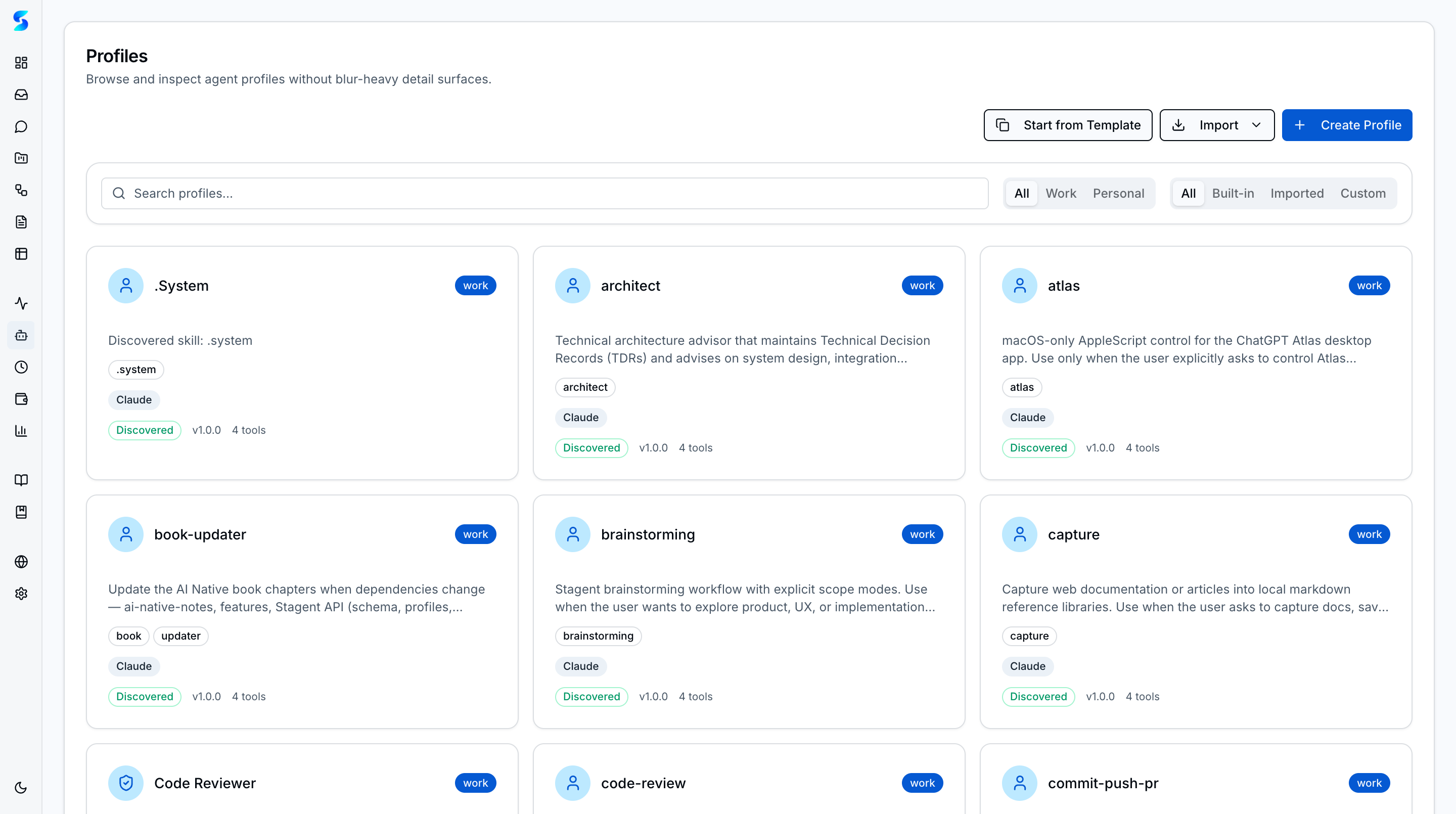
Browse and manage specialized agent profiles that define how agents behave when executing tasks. Each profile encapsulates a distinct persona with tailored capabilities, system prompts, and behavioral constraints. The catalog includes both technical profiles (Code Reviewer, Researcher, DevOps Engineer) and business-function profiles (Marketing Strategist, Sales Researcher, Financial Analyst). Profiles work across providers (Claude, Codex, Anthropic Direct, OpenAI Direct, and Ollama), and the auto-detect router can automatically select the best-fit profile for any given task.
Screenshots
The profiles catalog displays agent profiles as cards with name, description, runtime badges, and capability indicators.
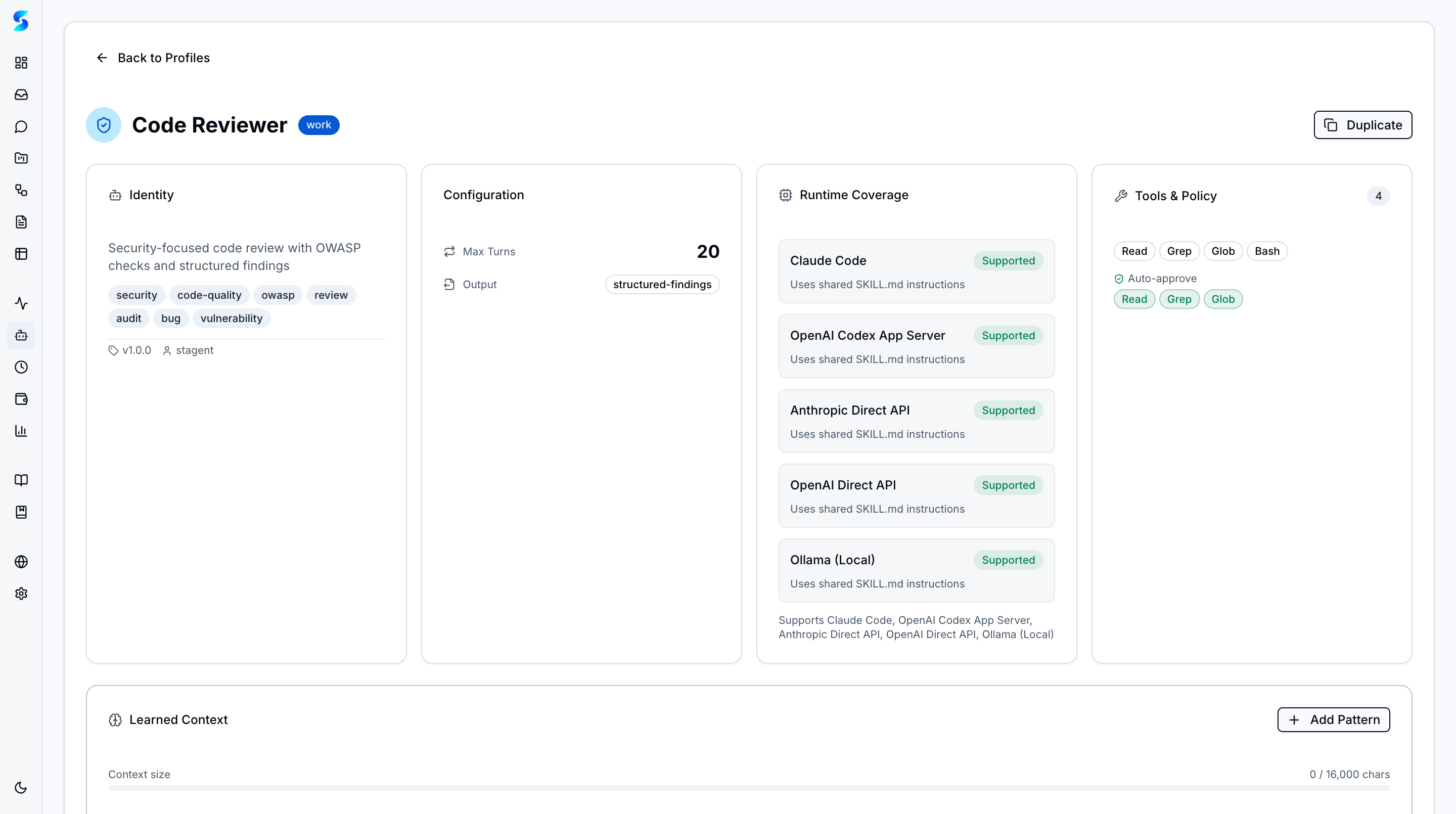 Profile detail page showing capabilities, tools, and configuration for a selected profile.
Key Features
Agent Profile Catalog
The catalog presents specialized profiles organized as browsable cards in Work and Personal tabs. Profiles span both technical roles (General, Code Reviewer, Data Analyst, DevOps Engineer, Document Writer, Researcher, Project Manager, Technical Writer) and business functions (Marketing Strategist, Sales Researcher, Customer Support Agent, Financial Analyst, Content Creator, Operations Coordinator). Each card shows the profile name, a description of its specialization, runtime compatibility badges, and its core capabilities.
Business-Function Profiles
Six business-oriented profiles ship built-in, each designed for a specific operational role:
- Marketing Strategist — market research, campaign planning, and growth strategy
- Sales Researcher — lead research, qualification, and personalized outreach
- Customer Support Agent — ticket triage, empathetic response drafting, and escalation management
- Financial Analyst — financial statement analysis, forecasting, and investor-ready reporting
- Content Creator — blog posts, social media, newsletters, and conversion-focused copy
- Operations Coordinator — SOP documentation, process optimization, and cross-functional coordination
Multi-Agent Routing
The task classifier analyzes incoming tasks and routes them to the most appropriate agent profile based on the task description, project context, and required capabilities. Auto-detect mode selects the best-fit profile automatically, while manual mode lets you choose a specific profile for any task.
Cross-Provider Compatibility
Profiles are provider-agnostic and work with all five runtime adapters: Claude Code (Agent SDK), OpenAI Codex (App Server), Anthropic Direct API, OpenAI Direct API, and Ollama (local models). The same profile definition produces consistent behavior regardless of which provider runtime executes the task.
Runtime Badges
Each profile card displays runtime compatibility badges showing which providers it supports. Profiles that work across all runtimes show all provider icons, while some may be optimized for specific providers.
Custom Profiles
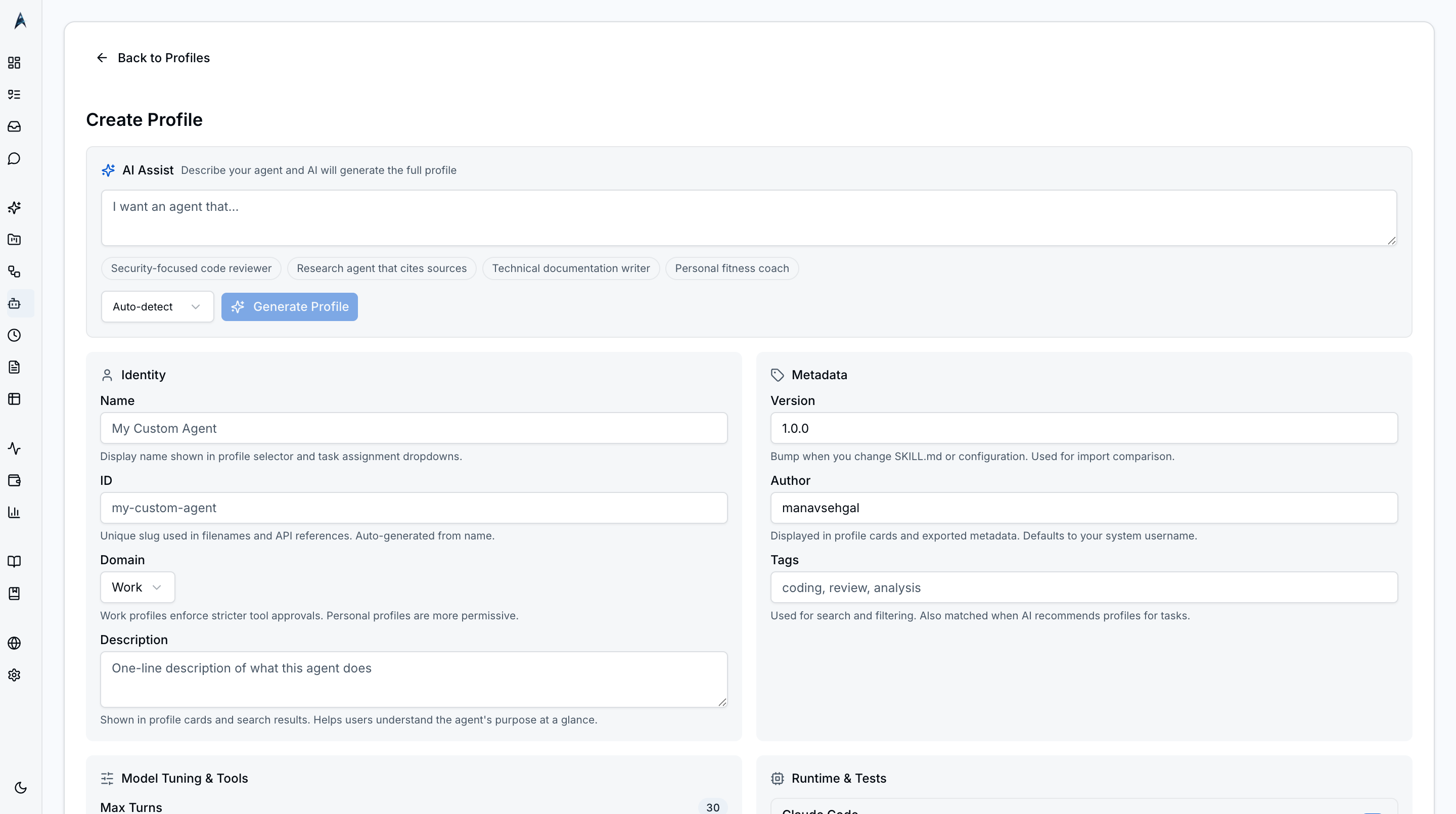 New Profile dialog with empty fields — name, description, system prompt, allowed tools, and runtime preferences.
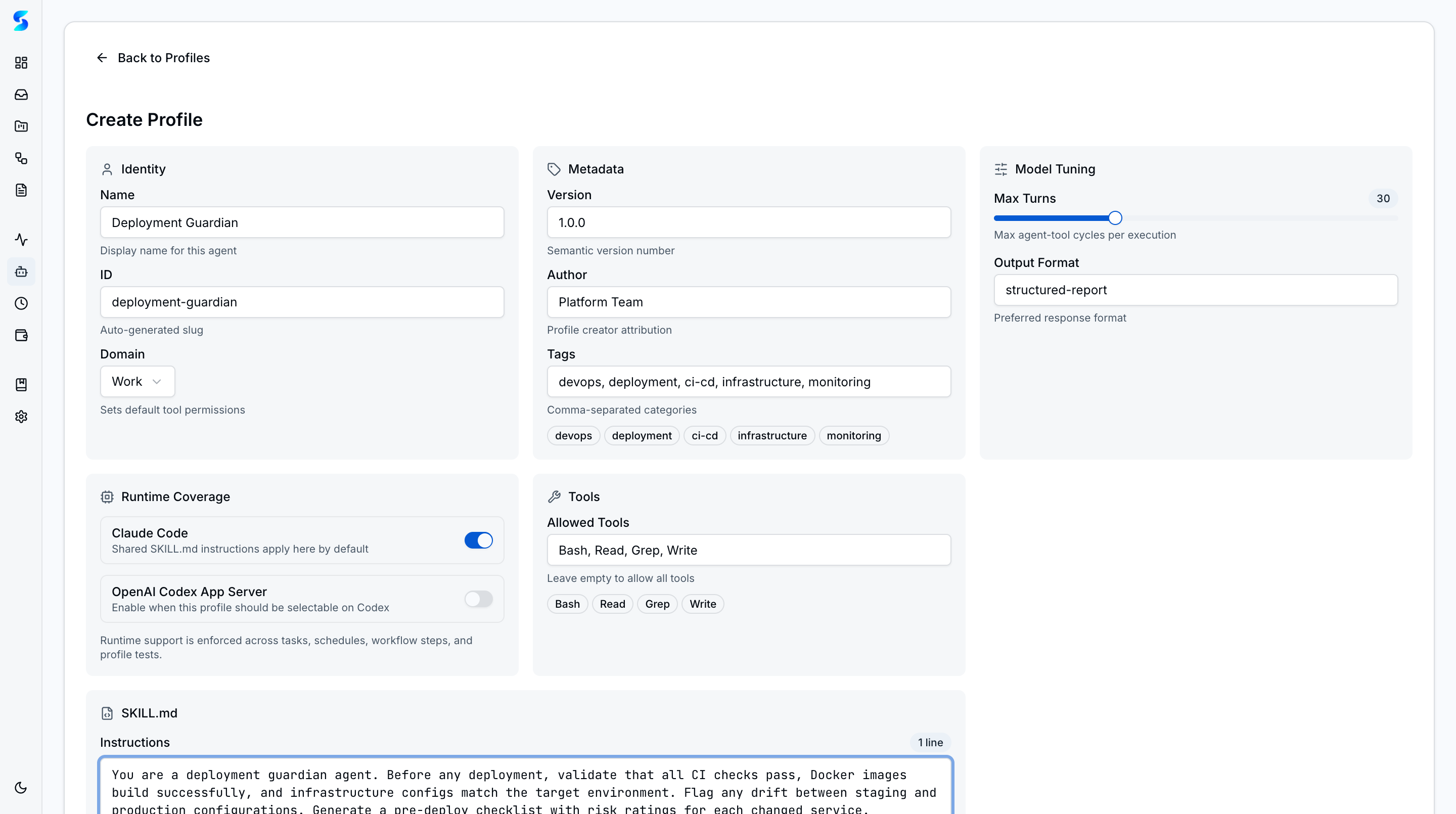 Form populated with a custom profile definition ready to save — including a tailored system prompt and tool allowlist.
Beyond the built-in catalog, you can create custom profiles tailored to your specific business processes. Custom profiles appear alongside built-in ones and support the same routing, tools, and provider compatibility features. Imported profiles from GitHub repositories show provenance badges (Built-in, Custom, or Imported).
How To
Browse Available Profiles
- Navigate to
/profilesfrom the sidebar under the Compose group. - Switch between Work and Personal tabs to see profiles by context.
- Read each card’s description to understand what the profile specializes in.
- Note the runtime badges to see which providers each profile supports.
Assign a Profile to a Task
- Open a task in the task detail or create a new task.
- Locate the Agent Profile selector in the task form.
- Choose a specific profile from the dropdown, or select Auto-detect to let the router choose.
- Execute the task. The selected profile’s system prompt and behavioral constraints will govern the agent’s behavior.
Use Auto-Detect Routing
- When creating or editing a task, set the agent profile to Auto-detect.
- The task classifier analyzes the task description and project context.
- The best-fit profile is selected automatically when the task executes.
- Check the agent logs to see which profile was selected and why.
View Profile Details
- Click any profile card in the catalog to open its detail page.
- Review the system prompt, capabilities, tool declarations, and provider-specific settings.
- Use the detail view to understand exactly how an agent will behave with this profile.
Related
Related Features
- Agent Integration — How profiles shape runtime execution
- Workflows — Assign profiles to multi-step automation
- Schedules — Reuse profiles in recurring runs